ABL / Data Upload Review/Input / BBC Documents
BBC Documents
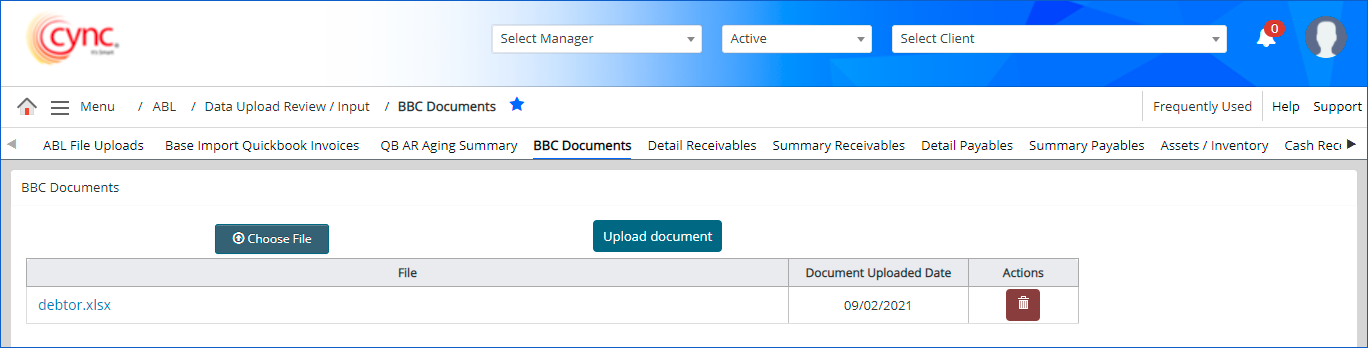
The BBC Documents page displays a list of all the uploaded BBC document files.
|
Table of Contents |
Navigation: ABL → Data Upload Review/Input → BBC Documents
Refer to the screenshot
Fields and Descriptions
| Fields | Descriptions |
| Choose File | Allows to click on the button to search for the file to upload. |
| Upload Document | Allows to click on the button to upload the selected file. |
| File | Display all the uploaded file names and format. |
| Document Uploaded Date | Displays the file uploaded date. |
| Actions | Allows to click on the icon to remove the uploaded file. |
|
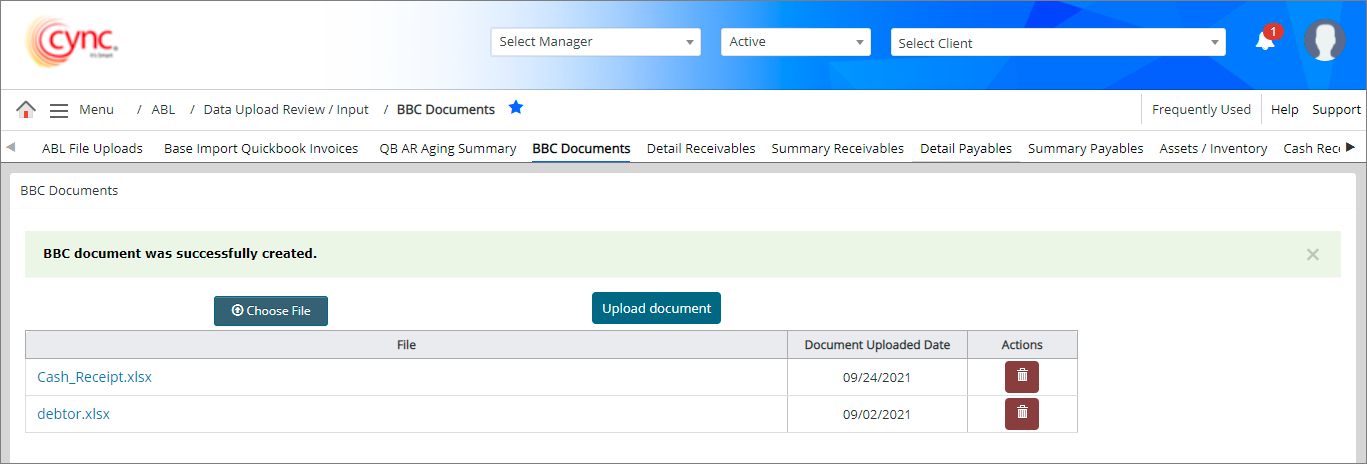
To upload BBC document, perform these steps: 1. Go to ABL → Data Upload Review-Input → BBC Documents. 2. Click 3. Select the file that you want to upload, from your personal folder. 4. Click |
 |
|
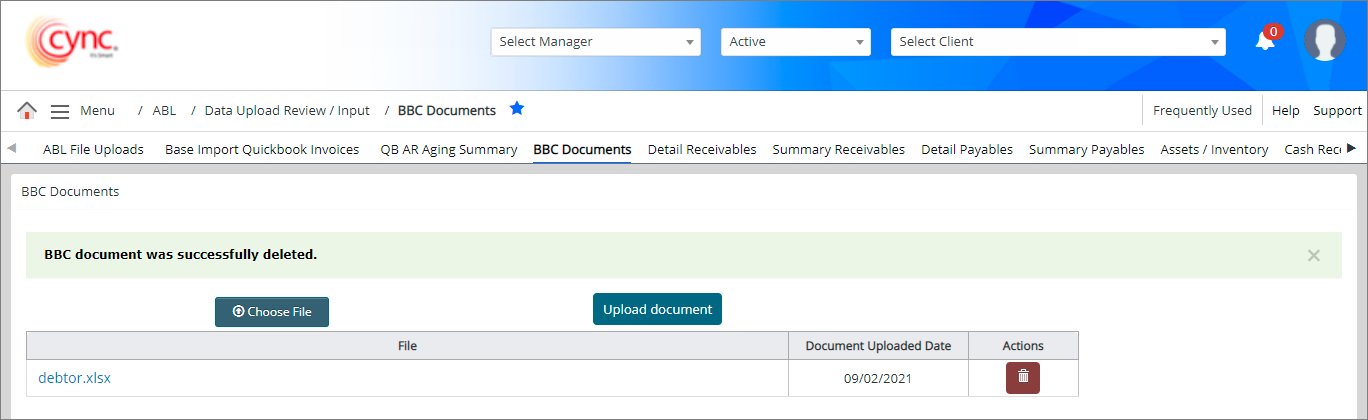
To delete BBC document, perform these steps: 1. Go to ABL → Data Upload Review-Input → BBC Documents. 2. Click 3. Click OK . The file has been deleted and a success message "BBC Document was successfully deleted" appears. |
 |
|
If the file uploaded exceeds 30MB, an error notification appears.
|
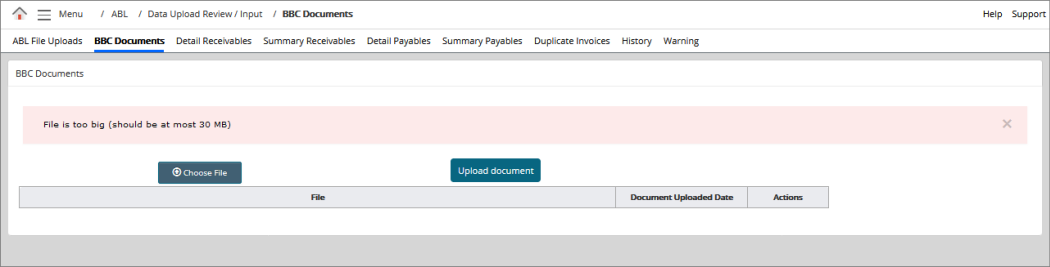 |
If you receive "File is too big (should be at most 30MB)" message, upload the file less than 30MB and click  option. The file is successfully uploaded.
 button.
  button. A pop-up message